☁️ Cloud & Digital Infrastructure

BUILD THE
DIGITAL FUTURE

We train the next generation of African cloud engineers, DevOps practitioners, and cybersecurity defenders — right here in Douala.

Cloud DevOps Cybersecurity Networking
🤖 Robotics & Artificial Intelligence

CREATE.
AUTOMATE. INNOVATE.

Young engineers in our labs build real robots, train AI models, and connect the physical world through IoT — hands-on from day one.

Robotics AI IoT Automation Coding
⚡ Semiconductors & Electronics

FROM DIGITAL SKILLS
TO DEEP TECH

From soldering circuits to designing PCBs and embedded systems — we're building Cameroon's hardware engineering foundation for the future.

Electronics PCB Design Embedded Systems Semiconductors
5 Labs Open
3 Branches
1 Goal Your Future

Empowering Young Learners Through Hands-On STEM

Weetrade Technology is the most advanced STEM training centre in Douala. We don't just teach theory — we put tools in learners' hands from day one.

Industry-grade infrastructure. Real-world skills. Right here in Cameroon. Our programs bridge the gap between classroom learning and the global tech economy — starting with young people in our own community.

See Our Programs
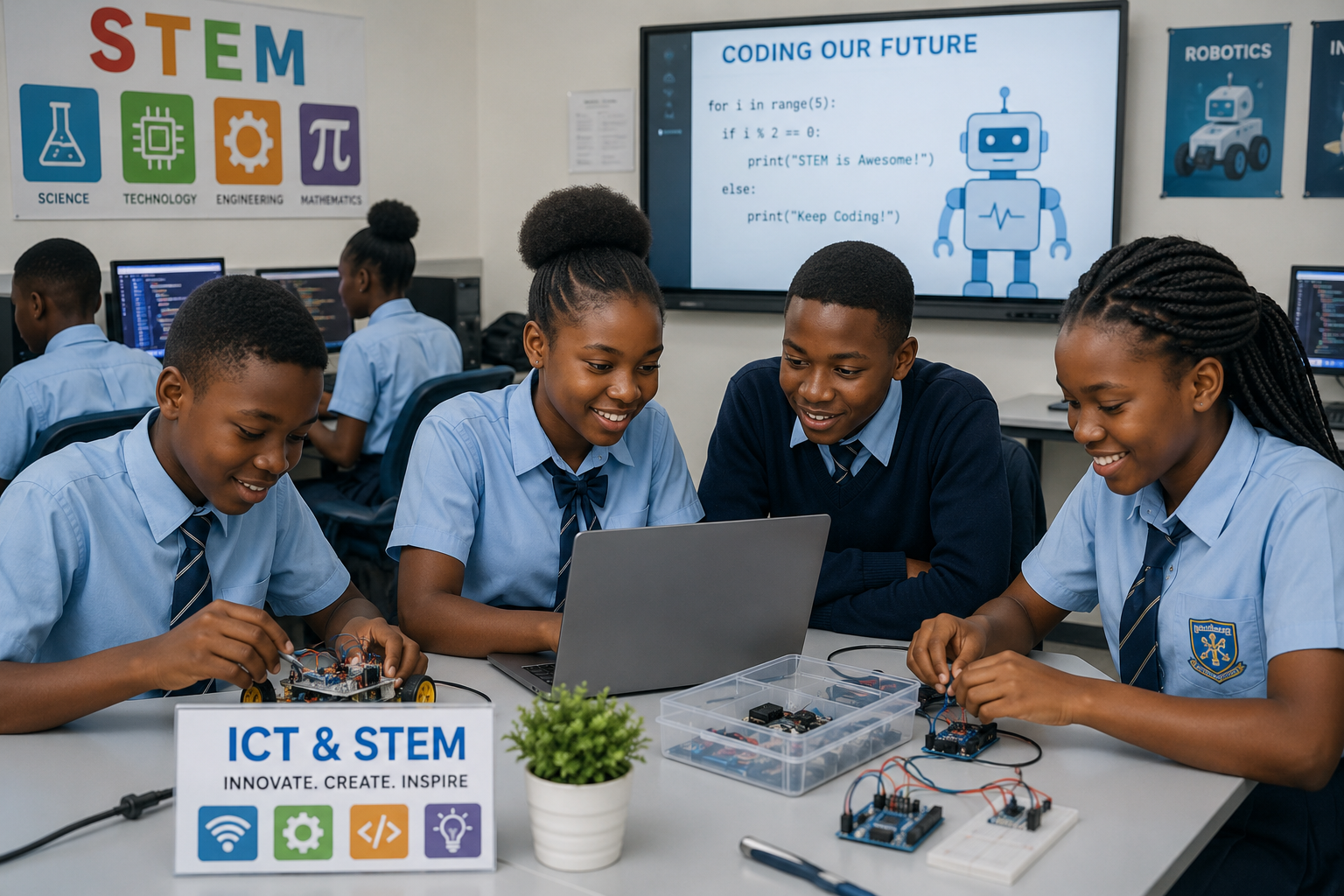
Young African students collaborating on robotics and coding at Weetrade Technology lab in Douala, Cameroon

STEM Is For Everyone

We actively recruit and support young women and girls in STEM — because the future needs all the talent it can get.

Girls Code. Girls Build. Girls Lead.

Dedicated tracks and safe learning spaces for young women and girls — from primary school age upward. Tailored programs that build confidence alongside technical skill.

Youth First

Programs designed for learners starting as young as 8, with age-appropriate pathways all the way up to secondary school level. No prior experience ever required.

Mentorship

Pairing young learners — especially girls — with role models in tech, engineering, and science. Real people who look like them, doing real things in the industry.

"When a girl learns to code, she doesn't just write software — she rewrites what's possible."

One Foundation. Three Specialist Streams.

Every learner starts with a strong STEM foundation, then specialises in Digital Future, Automate or Deep Tech — with industry-aligned programmes that lead to recognised certifications and real-world projects.

Foundation Stream · Ages 8–14

STEM

Science, Technology, Engineering & Mathematics — the launchpad for every pathway.

Young learners build curiosity, logic and hands-on confidence through computational thinking, applied mathematics and engineering design. Graduates progress into any of our three specialist streams.

Standards & certifications: CSTA K-12 CS Standards · NGSS · ISTE

Stream 1 · Ages 15+

Digital Future

Cloud, DevOps, Cybersecurity & Networking — the infrastructure of the digital economy.

Career-focused tracks that prepare learners for globally recognised certifications and remote-ready jobs running, automating and securing modern IT systems.

Standards & certifications: AWS · Azure · CKA · CompTIA Security+ · CCNA

Stream 2 · Ages 10+

Automate

Robotics, AI, IoT, Automation & Coding — teach machines to sense, think and act.

From first lines of code to intelligent, connected machines. Learners build software, robots, AI models and industrial control systems that solve real problems.

Standards & certifications: AI4K12 · IEC 61131-3 · OWASP IoT · AI-900

Stream 3 · Ages 12+

Deep Tech

Electronics, PCB Design, Embedded Systems & Semiconductors — build the hardware itself.

Hardware engineering from first circuits to custom boards, firmware and chip design — the skills behind every phone, car, satellite and medical device.

Standards & certifications: IPC-2221 / IPC-7351 / IPC-A-610 · ARM Cortex-M · MISRA C · SKY130

  1. 1 · FoundationSTEM essentials, ages 8–14
  2. 2 · SpecialiseChoose a stream & programme
  3. 3 · BuildLab projects & capstones
  4. 4 · CertifyIndustry certification prep & portfolio

What You'll Learn — By Stream

Every programme follows a structured curriculum aligned with international standards and industry certifications. Choose a stream, then a programme, to explore modules, learning outcomes and tools.

Foundation Stream · Ages 8–14 · 3 programmes STEM — Science, Technology, Engineering & Mathematics — the launchpad for every pathway.

Young learners build curiosity, logic and hands-on confidence through computational thinking, applied mathematics and engineering design. Graduates progress into any of our three specialist streams.

Computational Thinking & Creative Coding

Beginner · Ages 8–11 16 Weeks · 5 Modules

Aligned to: CSTA K-12 Computer Science Standards (Level 1B) · ISTE Standards for Students

A first step into computing for young learners — think like a computer scientist, stay safe online, and create with code and physical devices.

Learn the four pillars of computational thinking through games and hands-on activities — no computer required.

  • Decomposition, pattern recognition, abstraction and algorithms
  • Binary numbers with cards and simple data representation
  • Writing step-by-step instructions and finding bugs in them
  • Sorting and searching games that reveal how computers work
CS Unplugged Code.org

Build confidence with computers and good digital habits from day one.

  • Using the keyboard, mouse, files and folders
  • Searching the web effectively and checking sources
  • Passwords, privacy and kindness online
  • Recognising scams, phishing and unsafe content
Windows / Ubuntu Be Internet Awesome Google Workspace

Bring ideas to life with block-based code — stories, animations and games.

  • Sequences, loops, events and conditionals
  • Variables, scores and simple game logic
  • Debugging and remixing other projects
  • Mini-project: an interactive game or animated story
Scratch 3.0 ScratchJr

Code a real device — make lights, sounds and sensors respond to the world.

  • LED matrix, buttons and sound output
  • Accelerometer, compass, temperature and light sensors
  • Radio messaging between devices
  • Build a step counter, digital compass or reaction game
BBC micro:bit MakeCode

Plan, build and present an original project to family and peers.

  • Design thinking — understand a problem, sketch solutions
  • Planning, building and testing in small teams
  • Presenting work clearly with confidence
Scratch micro:bit

Applied Mathematics

Beginner → Intermediate 24 Weeks · 7 Modules

Master the numbers behind all computing — integers, fractions, binary, hexadecimal, and number theory fundamentals.

  • Natural numbers, integers, rationals, reals — properties and operations
  • Divisibility, prime numbers, GCD, LCM
  • Binary and hexadecimal — conversion and arithmetic
  • Modular arithmetic (clock arithmetic) and its applications in computing
  • Estimation, rounding, and significant figures
Python (math) GeoGebra

The language of patterns — algebra lets us describe the world with symbols and solve problems systematically.

  • Variables, expressions, equations, and inequalities
  • Linear and quadratic equations — solving and graphing
  • Systems of equations (substitution, elimination)
  • Functions — domain, range, composition, inverse
  • Polynomials and factorisation
  • Sequences and series (arithmetic, geometric)
GeoGebra Python / SymPy

The mathematics of shape, space, and angle — essential for robotics, graphics, and engineering.

  • Euclidean geometry — angles, triangles, circles, polygons
  • Area, perimeter, surface area, volume
  • Coordinate geometry — distance, midpoint, slope
  • Trigonometry — sin, cos, tan, the unit circle
  • Applying trig to robotics and physics problems
GeoGebra Python (math/numpy)

Make sense of data — collect it, describe it, visualise it, and reason under uncertainty.

  • Descriptive statistics — mean, median, mode, range, standard deviation
  • Data visualisation — histograms, box plots, scatter plots
  • Probability — events, sample space, tree diagrams
  • Conditional probability and independence
  • Introduction to probability distributions (normal, binomial)
  • Lab: Analyse a real Cameroon dataset with Python
Python / Pandas Matplotlib Google Sheets

The mathematics of computers and proofs — logic, sets, and discrete structures are at the heart of computer science.

  • Propositional logic — AND, OR, NOT, implication, equivalence
  • Set theory — union, intersection, complement, Venn diagrams
  • Relations and functions (mathematical definition)
  • Graph theory basics — nodes, edges, paths, trees
  • Proof techniques — direct proof, contradiction, induction
  • Counting principles — permutations, combinations
Python NetworkX (graphs)

Think like a computer — break problems into steps, design algorithms, and analyse efficiency.

  • Computational thinking pillars — decomposition, pattern recognition, abstraction, algorithms
  • Flowcharts and pseudocode
  • Sorting algorithms — bubble, selection, insertion, merge
  • Searching algorithms — linear, binary search
  • Big-O notation — understanding algorithmic complexity
  • Recursion — concept and classic examples (Fibonacci, factorial)
Python Algorithm Visualiser

Maths for real life and the real world — understand money, business, and how mathematics shapes economic decisions.

  • Percentages, ratios, rates, and proportions in context
  • Interest — simple and compound, loan repayments
  • Budgeting, profit/loss, markup, and margins
  • Introduction to financial literacy for young entrepreneurs
  • Data analysis for business decisions (sales trends, forecasting)
  • Capstone: Build a personal budget calculator app in Python
Python Google Sheets Real-World Data

Science & Engineering Design

Beginner → Intermediate · Ages 10–14 20 Weeks · 6 Modules

Aligned to: NGSS Engineering Design (ETS1) & Physical Science standards · Scientific method

Hands-on science and engineering — design, build and test real solutions using the same process professional engineers follow.

Learn the cycle every engineer uses: ask, imagine, plan, create, test and improve.

  • Defining problems with criteria and constraints
  • Brainstorming and sketching multiple solutions
  • Keeping an engineering notebook
  • Testing, measuring and iterating on prototypes
Engineering notebook Prototyping kits

Explore the physics behind everything that moves.

  • Newton's laws of motion, friction and gravity
  • Levers, pulleys, wheels, gears and mechanical advantage
  • Measuring speed, distance and time
  • Build challenge: a catapult, crane or gear-driven vehicle
PhET Simulations Simple machines kits

Understand how energy is transformed — and how we can power communities sustainably.

  • Forms of energy and the law of conservation of energy
  • Simple circuits: cells, switches, bulbs and motors
  • Solar, wind and hydro power — the energy mix in Cameroon
  • Build challenge: a solar-powered car or wind turbine
PhET Simulations Solar kits Multimeter

Discover why materials behave the way they do and work safely in a lab.

  • States of matter, mixtures and solutions
  • Properties of materials — strength, conductivity, density
  • Lab safety and accurate measurement
  • Challenge: design a low-cost water filter
Lab equipment Safety goggles

Turn ideas into physical objects with computer-aided design.

  • 2D sketches to 3D models in Tinkercad
  • Dimensions, tolerances and design for printing
  • Slicing, printing and post-processing
  • Prototype a functional part for a real problem
Tinkercad Ultimaker Cura 3D printer

Run a genuine investigation from question to conclusion.

  • Forming a hypothesis and designing a fair test
  • Collecting data, graphing and drawing conclusions
  • Presenting results on a poster and in a talk
Google Sheets Canva
Stream 1 · Ages 15+ · 4 programmes Digital Future — Cloud, DevOps, Cybersecurity & Networking — the infrastructure of the digital economy.

Career-focused tracks that prepare learners for globally recognised certifications and remote-ready jobs running, automating and securing modern IT systems.

Cloud Computing

Intermediate → Advanced · Ages 15+ 24 Weeks · 6 Modules · AWS & Azure Cert Prep

Aligned to: AWS Certified Cloud Practitioner & Solutions Architect – Associate · Microsoft Azure Fundamentals (AZ-900) · AWS Well-Architected Framework

Design, deploy and secure applications on the world's leading cloud platforms — the foundation of every modern digital business.

Understand what the cloud is, how it is priced and who is responsible for what.

  • IaaS, PaaS and SaaS; public, private and hybrid cloud
  • Regions, availability zones and edge locations
  • The shared responsibility model
  • Pricing models, free tiers and cost calculators
  • Linux and networking refresher for the cloud
AWS Free Tier Microsoft Azure Linux

Work hands-on with the building blocks used in almost every cloud architecture.

  • Virtual machines (EC2 / Azure VMs), auto scaling and load balancing
  • Object, block and file storage (S3, EBS, EFS) and lifecycle policies
  • Managed relational and NoSQL databases (RDS, DynamoDB)
  • Comparing equivalent services across AWS and Azure
Amazon EC2 Amazon S3 Amazon RDS Azure Portal

Lock down cloud accounts using least privilege and continuous monitoring.

  • IAM users, groups, roles and policies — least privilege
  • MFA, encryption at rest and in transit (KMS)
  • Audit logging with CloudTrail and Security Hub
  • Multi-account governance, tagging and budgets
AWS IAM AWS KMS CloudTrail Microsoft Entra ID

Design secure, scalable networks in the cloud.

  • VPC design: subnets, route tables, internet and NAT gateways
  • Security groups vs network ACLs
  • Hybrid connectivity: site-to-site VPN and dedicated links
  • DNS with Route 53 and content delivery with CloudFront
Amazon VPC Route 53 CloudFront

Apply the six pillars to build resilient, efficient and cost-effective systems.

  • Operational excellence, security, reliability, performance, cost and sustainability
  • High availability and disaster recovery strategies
  • Serverless architectures: Lambda, API Gateway, SQS and SNS
  • Cost optimisation and FinOps fundamentals
AWS Lambda API Gateway CloudWatch

Consolidate everything and get exam-ready.

  • Timed practice exams for Cloud Practitioner, Solutions Architect – Associate and AZ-900
  • Capstone: deploy a highly available three-tier web app with IaC and monitoring
  • Architecture diagrams and design review presentation
Terraform AWS / Azure Practice exams

DevOps Engineering

Advanced 48 Weeks · CKA Prep Included
Next cohort in planning — starts January 27, 2027

Enrolment open now. Secure your place before the cohort fills up.

From Linux to Kubernetes — Become a DevOps Engineer

Our most comprehensive Advanced Tech offering — 48 weeks, full CKA (Certified Kubernetes Administrator) certification prep, and a complete industry toolchain: Linux, Terraform IaC, Prometheus observability, ELK & EFK logging stacks, Kubernetes, CI/CD, and cloud-native operations.

Build the foundation every DevOps engineer relies on — the Linux command line, system administration, version control, and automation scripting.

  • Linux file systems, permissions, users & groups, and system administration (systemd, package managers)
  • Essential DevOps CLI tools — grep, sed, awk, curl, cron, journalctl
  • Bash scripting — loops, conditionals, functions, text processing pipelines
  • Git & GitHub — branching, pull requests, collaboration workflows
  • Python for automation — APIs, JSON/YAML, scheduled tasks
Linux / Ubuntu Bash Git & GitHub Python 3

The flagship phase — master containerisation and Kubernetes orchestration aligned with the official CKA exam curriculum.

  • Docker — Dockerfiles, multi-stage builds, Compose, image security
  • Kubernetes architecture — Pods, Deployments, Services, ConfigMaps, Secrets
  • RBAC, namespaces, persistent storage, Helm charts
  • Cluster maintenance, kubectl mastery, and full CKA exam preparation
Docker Kubernetes Helm CKA Prep

Automate delivery end-to-end — build pipelines that test, build, and deploy code, and provision infrastructure entirely through code using Terraform.

  • GitHub Actions & Jenkins — pipeline-as-code, automated testing gates
  • IaC with Terraform — providers, modules, state management, workspaces, multi-cloud provisioning (AWS, GCP, Azure)
  • Ansible — playbooks, roles, idempotent configuration management
  • GitOps workflows — ArgoCD and automated reconciliation
GitHub Actions Terraform Ansible ArgoCD

Operate at production scale — build full observability into systems with Prometheus, master centralised logging with ELK and EFK stacks, deploy across cloud platforms, and ship a capstone project.

  • Observability with Prometheus — metrics collection, PromQL, Grafana dashboards, alerting rules, alert manager
  • ELK Stack — Elasticsearch (indexing & search), Logstash (log ingestion & transformation), Kibana (dashboards & visualisation)
  • EFK Stack — Elasticsearch, Fluentd (Kubernetes-native log forwarding), Kibana — cloud-native logging for containerised workloads
  • AWS, GCP & Azure — IAM, compute, storage, managed Kubernetes (EKS/GKE/AKS)
  • DevSecOps — container scanning, secrets management (Vault), policy as code
  • Capstone: design and ship a full production-grade DevOps system with monitoring, logging, and CI/CD — end to end
Prometheus & Grafana ELK Stack EFK Stack AWS / GCP / Azure HashiCorp Vault

Cybersecurity

Advanced 32 Weeks · 8 Modules · CompTIA Security+ Prep
Next cohort in planning — starts ~January 27, 2027

Register your interest now and be first to enrol when the cohort opens.

Understand the world of cyber threats, attacker psychology, and the principles that defenders rely on.

  • CIA Triad — Confidentiality, Integrity, Availability
  • Types of threats — malware, phishing, social engineering, insider threats
  • Attack lifecycle — kill chain and MITRE ATT&CK framework
  • Security policies, compliance, and risk management basics
  • Ethical hacking vs illegal hacking — legal and ethical boundaries
MITRE ATT&CK Kali Linux (intro)

You can't secure a network you don't understand — master the essential networking knowledge every security professional needs.

  • OSI and TCP/IP models — layer by layer
  • IP addressing, subnetting, CIDR notation
  • DNS, DHCP, HTTP/S, FTP, SSH — protocols and their attack surfaces
  • Firewalls, NAT, VPNs — how they work and where they fail
  • Packet capture and analysis with Wireshark
Wireshark Cisco Packet Tracer nmap

Secure the OS that runs most of the internet — Linux hardening is a core skill for every security professional.

  • User privilege management and sudo policies
  • SSH hardening — key-only auth, disable root login, port change
  • Firewall configuration with UFW and iptables
  • File integrity monitoring (AIDE, Tripwire)
  • Audit logs — journalctl, auditd, log analysis
  • CIS Benchmark hardening checklist for Ubuntu
Kali Linux UFW / iptables AIDE

Attack and defend web applications — understand the OWASP Top 10 and build secure code from the ground up.

  • OWASP Top 10 — injection, broken auth, XSS, IDOR, SSRF, and more
  • SQL injection — manual and automated exploitation (SQLMap)
  • Cross-Site Scripting (XSS) — reflected, stored, DOM-based
  • Burp Suite Community — intercepting and modifying requests
  • Secure coding practices — input validation, parameterised queries
  • Lab: Exploit and fix a deliberately vulnerable web app (DVWA)
Burp Suite OWASP DVWA SQLMap

Think like an attacker to defend better — learn structured penetration testing from reconnaissance to reporting.

  • Pen test phases — recon, scanning, exploitation, post-exploitation, reporting
  • Reconnaissance — OSINT tools, Google dorking, Shodan
  • Network scanning — Nmap, Nessus basics
  • Exploitation with Metasploit Framework
  • Password attacks — hashcat, john the ripper, brute force
  • Writing a professional penetration test report
Metasploit nmap / Nessus hashcat OSINT

Apply your skills in real competitive security challenges — CTF competitions develop instinct, creativity, and speed.

  • CTF categories — web, crypto, forensics, reverse engineering, pwn
  • TryHackMe and HackTheBox guided rooms (beginner to intermediate)
  • Steganography and digital forensics basics
  • Basic cryptography — Caesar, XOR, RSA, base64
  • Internal CTF competition — team vs team
TryHackMe HackTheBox Wireshark CyberChef

Build security into software from the first line — developers who understand security write safer code and are more valuable to every team.

  • SAST — static analysis with Semgrep and Bandit
  • Dependency vulnerability scanning (Trivy, OWASP Dependency Check)
  • Secrets management — never commit credentials
  • Secure SDLC — threat modelling with STRIDE
  • Security gates in CI/CD pipelines
Semgrep Trivy STRIDE

Consolidate all knowledge and prepare for the globally recognised CompTIA Security+ (SY0-701) certification exam.

  • Full syllabus review mapped to SY0-701 exam domains
  • Domain 1: General Security Concepts
  • Domain 2: Threats, Vulnerabilities & Mitigations
  • Domain 3: Security Architecture
  • Domain 4: Security Operations
  • Domain 5: Security Program Management
  • Mock exams, performance-based questions, and exam technique
CompTIA Security+ Professor Messer Practice Labs

Networking

Advanced 28 Weeks · 7 Modules · CCNA Prep
Next cohort in planning — starts November 2026

Register your interest now and be first to enrol when the cohort opens.

Understand how networks connect the world — the essential vocabulary and concepts every network engineer must know.

  • Network types — LAN, WAN, MAN, PAN, WLAN
  • OSI model and TCP/IP model — all 7 layers in detail
  • Network devices — hubs, switches, routers, access points, firewalls
  • Cables and media — copper (Cat5e/Cat6), fibre optic, wireless
  • Common protocols — DNS, DHCP, HTTP/S, FTP, SSH, Telnet
  • Lab: Build a simple home/office network in Packet Tracer
Cisco Packet Tracer Wireshark

Master the addressing system of the internet — subnetting is the single most important skill tested in networking certifications.

  • IPv4 classes, private ranges, and public addresses
  • Subnet masks, CIDR notation, and wildcard masks
  • Subnetting — network address, broadcast, usable hosts
  • VLSM (Variable Length Subnet Masking)
  • IPv6 — address format, types, transition mechanisms
  • Speed subnetting techniques for exam conditions
Subnet Calculator Packet Tracer IPv6 Lab

Build and segment enterprise-scale LANs — switching and VLANs are the backbone of every modern office network.

  • Ethernet switching — MAC address table, forwarding, flooding
  • VLANs — creation, assignment, trunk ports (802.1Q)
  • Inter-VLAN routing — router-on-a-stick and Layer 3 switches
  • Spanning Tree Protocol (STP / RSTP) — loop prevention
  • EtherChannel — link aggregation for redundancy and bandwidth
  • Lab: Multi-VLAN corporate network design
Cisco IOS Packet Tracer GNS3

Understand how routers decide where to send packets — routing protocols are what make the internet scale.

  • Static routing — configuration and use cases
  • Dynamic routing overview — distance vector vs link-state
  • OSPF (Open Shortest Path First) — areas, DR/BDR, LSAs
  • EIGRP — Cisco-enhanced distance vector protocol
  • BGP concepts — eBGP, iBGP, AS numbers (CCNA overview)
  • Route redistribution and summarisation
  • Lab: Multi-area OSPF design for a campus network
OSPF EIGRP BGP (overview) GNS3

Connect sites over long distances — WAN technologies are what link offices, cities, and countries.

  • WAN concepts — leased lines, MPLS, SD-WAN
  • NAT — static, dynamic, PAT (overload)
  • VPN technologies — IPSec site-to-site, SSL/TLS remote access
  • PPP, Frame Relay (legacy reference), Metro Ethernet
  • ISP connectivity — BGP peering, internet exchange points
NAT / PAT IPSec VPN SD-WAN

Secure the network layer — apply access control, protect management plane, and defend against network-level attacks.

  • ACLs — standard, extended, named — on Cisco IOS
  • Port security and 802.1X authentication
  • DHCP snooping, Dynamic ARP Inspection (DAI)
  • Zone-Based Firewall (ZBF) on Cisco routers
  • AAA — RADIUS and TACACS+ for network device management
  • Hardening network devices — management plane protection
Cisco ACLs 802.1X RADIUS / TACACS+

The modern network engineer automates — learn Python for network automation, and consolidate everything for the CCNA exam.

  • Network programmability — REST APIs, NETCONF, RESTCONF
  • Python for networking — Netmiko, NAPALM, Paramiko
  • Ansible for network device configuration management
  • Cisco DNA Centre / SD-WAN controller overview
  • Full CCNA 200-301 exam domain review
  • Mock exams, lab simulations, and exam technique
Netmiko Ansible CCNA 200-301 Python
Stream 2 · Ages 10+ · 5 programmes Automate — Robotics, AI, IoT, Automation & Coding — teach machines to sense, think and act.

From first lines of code to intelligent, connected machines. Learners build software, robots, AI models and industrial control systems that solve real problems.

Coding & Software Development

Beginner → Intermediate 24 Weeks · 6 Modules

Build the foundation — understand how computers work, navigate operating systems, and develop good digital habits.

  • Hardware components and their functions (CPU, RAM, storage, I/O)
  • Operating system navigation — Windows and Linux basics
  • File management, keyboard shortcuts, and productivity tools
  • Internet safety, digital citizenship, and responsible use
  • Introduction to the command line (terminal, file paths)
  • Typing speed and accuracy practice
Windows 11 Ubuntu Linux Google Workspace

Learn computational thinking through Scratch — build interactive stories, games, and animations without typing a line of code.

  • Sequences, loops, and conditionals using block coding
  • Events, sprites, backdrops, and sound
  • Variables and simple data tracking
  • Debugging and problem decomposition
  • Mini-project: Build an interactive game or animated story
Scratch 3.0

Move from blocks to real code — Python is the world's most learner-friendly programming language and the gateway to data, AI, and automation.

  • Variables, data types (str, int, float, bool, list, dict)
  • Control flow — if/elif/else, for and while loops
  • Functions — definition, parameters, return values
  • File I/O — reading and writing text files
  • Basic error handling with try/except
  • Turtle graphics and simple data visualisation
  • Mini-project: Build a text-based quiz or calculator
Python 3 VS Code Turtle / Pygame

Design and build real websites — the language of the web, made accessible and creative for young developers.

  • HTML5 — semantic elements, headings, links, images, forms, tables
  • CSS3 — selectors, box model, flexbox, grid, colours, typography
  • Responsive design — media queries and mobile-first thinking
  • CSS animations and transitions
  • Accessibility basics — alt text, ARIA, colour contrast
  • Mini-project: Build a personal portfolio website
HTML5 CSS3 VS Code

Bring web pages to life — JavaScript powers interactivity on every website in the world.

  • JS fundamentals — variables (let/const), functions, arrays, objects
  • DOM manipulation — selecting, modifying, and creating elements
  • Events — click, input, submit listeners
  • Conditional logic and loops in JS
  • Fetch API — connecting to free APIs (weather, jokes, maps)
  • Local storage and simple data persistence
  • Mini-project: Interactive quiz app or weather dashboard
JavaScript VS Code Browser DevTools

Design and build an original project from scratch — planning, building, testing, and presenting. This is your showcase to the world.

  • Project planning — wireframes, user stories, timeline
  • Build a full web app (Python backend or JS-only front end)
  • Version control with Git — commit, branch, push to GitHub
  • Peer review and code feedback sessions
  • Final presentation to panel — demo + explanation
Python / JS Git & GitHub Presentation

Robotics

Intermediate 24 Weeks · 7 Modules

Explore what robots are, how they work, and where they're changing the world — from factories to hospitals to space.

  • History and types of robots — industrial, service, educational
  • Key concepts: sensing, processing, actuating
  • Introduction to LEGO Mindstorms / EV3 platform
  • Build and run your first pre-programmed robot
  • Safety and responsible robotics use
LEGO EV3 Scratch for EV3

Learn how to design and build strong, efficient robotic structures — the skeleton of every robot.

  • Structural principles — strength, weight, balance, centre of gravity
  • Gear ratios, torque, and speed trade-offs
  • Frame design using LEGO, aluminium extrusion, or custom-cut parts
  • Chassis design for wheeled, tracked, and legged robots
  • Lab: Build a wheeled robot chassis from scratch
LEGO Technic Tinkercad 3D

Power, protect, and connect the electronic systems that give your robot its senses and muscles.

  • Power systems — batteries, voltage regulation, motor drivers
  • L298N and L293D motor driver modules
  • Wiring best practices and cable management
  • Electronic speed controllers (ESC) for brushless motors
  • Protecting circuits — fuses, flyback diodes, decoupling capacitors
L298N Driver LiPo Batteries ESC

Program your robot to move, react, and make decisions — putting your coding and electronics knowledge together.

  • Movement control — forward, reverse, turns, speed
  • State machines for complex behaviour sequencing
  • Bluetooth control via HC-05 module and mobile app
  • IR remote control receiver programming
  • Lab: Build a Bluetooth-controlled robot car
Arduino Mega HC-05 Bluetooth MIT App Inventor

Make your robot aware of its environment — sense, decide, and act without human input.

  • Line-following with IR sensors (PID control basics)
  • Obstacle avoidance with ultrasonic sensors
  • Colour sensing and object sorting
  • Introduction to PID control theory
  • Lab: Build an autonomous obstacle-avoiding robot
HC-SR04 IR Sensors PID Control

Apply everything — design a competitive robot for a structured challenge scenario, working in teams.

  • Introduction to competitive robotics formats (WRO, FLL)
  • Strategic design — reading a challenge brief and planning a solution
  • Team roles — designer, programmer, driver, builder
  • Iterative design and rapid prototyping cycles
  • Internal class competition — timed challenge with judging panel
Team Project Arduino / LEGO Competition Format

Peer over the horizon — explore Raspberry Pi, computer vision, and AI-powered robotics as a bridge to the next level.

  • Raspberry Pi vs Arduino — when to use which
  • OpenCV basics — camera input, object detection (colour, shape)
  • Introduction to Machine Learning for robotics (TensorFlow Lite demo)
  • ROS (Robot Operating System) overview and first steps
  • Project: Vision-guided robotic arm demo
Raspberry Pi OpenCV ROS TF Lite

AI & Machine Learning

Intermediate → Advanced · Ages 14+ 28 Weeks · 7 Modules

Aligned to: AI4K12 “Five Big Ideas in AI” · Microsoft Azure AI Fundamentals (AI-900) · UNESCO Recommendation on the Ethics of AI

From how machines learn to building computer-vision and generative-AI applications — responsibly, and for problems that matter locally.

Understand what AI is (and isn't) through hands-on experiments.

  • Perception, representation & reasoning, learning, natural interaction and societal impact
  • A short history of AI and how today's systems differ
  • Train your first image and sound classifiers — no code
  • AI use cases in African agriculture, health and fintech
Teachable Machine Machine Learning for Kids

Data is the fuel of AI — learn to collect, clean and explore it.

  • NumPy arrays and pandas DataFrames
  • Cleaning, filtering and joining real datasets
  • Visualisation with Matplotlib and Seaborn
  • Exploratory data analysis in Jupyter notebooks
Python 3 pandas Jupyter Google Colab

Build, evaluate and improve predictive models the professional way.

  • Supervised vs unsupervised learning
  • Linear and logistic regression, decision trees, random forests, k-means
  • Train/test splits, cross-validation and avoiding overfitting
  • Metrics: accuracy, precision, recall, F1 and confusion matrices
scikit-learn pandas Kaggle

Go inside neural networks and train your own.

  • Perceptrons, activation functions and backpropagation
  • Convolutional neural networks for images
  • Transfer learning with pre-trained models
  • Training on GPUs and tracking experiments
PyTorch TensorFlow / Keras Google Colab

Give machines sight — and run models on small devices in the field.

  • Image processing with OpenCV
  • Object detection with YOLO-family models
  • Optimising and deploying models to Raspberry Pi (TensorFlow Lite / ONNX)
  • Integrating vision into robotics and IoT projects
OpenCV YOLO Raspberry Pi TensorFlow Lite

Understand and build with large language models.

  • Tokens, embeddings and the transformer architecture
  • Prompt engineering patterns and structured outputs
  • Retrieval-augmented generation (RAG) with vector databases
  • Building chatbots and simple AI agents via APIs; evaluating outputs
Hugging Face LLM APIs Vector databases

Build AI that is fair, safe and trustworthy — then ship a real project.

  • Bias, fairness, privacy and data protection
  • Transparency, explainability and human oversight
  • Capstone: an AI solution to a real problem in Douala, presented to a panel
Model cards Gradio Streamlit

Internet of Things (IoT)

Intermediate · Ages 14+ 24 Weeks · 6 Modules

Aligned to: IoT World Forum reference architecture (device → edge → cloud) · OWASP IoT Top 10 · MQTT (OASIS standard)

Connect sensors to the cloud and build smart solutions for agriculture, energy, water and cities.

See the whole system — from a sensor in a field to a dashboard on a phone.

  • Device, edge, network and cloud layers
  • Sensors vs actuators; analogue vs digital signals
  • IoT use cases: smart farming, metering, flood and air-quality monitoring
  • Power, cost and connectivity trade-offs
Arduino Breadboard kits

Program the Wi-Fi/Bluetooth microcontroller that powers millions of connected devices.

  • GPIO, ADC, PWM and timers
  • Reading I²C and SPI sensors (temperature, humidity, gas, distance)
  • Wi-Fi connection and web requests
  • Deep sleep and battery-life budgeting
ESP32 Arduino IDE PlatformIO

Choose the right radio and protocol for each job.

  • Wi-Fi, Bluetooth Low Energy, LoRa/LoRaWAN and cellular (LTE-M / NB-IoT)
  • HTTP/REST vs MQTT — brokers, topics and QoS levels
  • JSON payloads and data formats
  • Gateways and edge processing
MQTT / Mosquitto LoRaWAN BLE

Store, visualise and act on sensor data in real time.

  • Flow-based integration with Node-RED
  • Time-series storage with InfluxDB
  • Live dashboards and alerts with Grafana / ThingsBoard
  • Managed IoT cloud services (AWS IoT Core)
Node-RED InfluxDB Grafana ThingsBoard

Secure devices that live outside the data centre.

  • OWASP IoT Top 10 vulnerabilities
  • TLS, certificates and unique device identity
  • Secure boot and over-the-air (OTA) updates
  • Network segmentation for IoT
TLS / X.509 OTA updates

Design, build and pilot a complete connected product.

  • Examples: smart irrigation, flood-level alerts, solar system monitoring
  • Enclosure, power supply and field testing
  • Live dashboard and project presentation
ESP32 MQTT Grafana 3D printing

Industrial Automation

Intermediate → Advanced · Ages 15+ 24 Weeks · 6 Modules

Aligned to: IEC 61131-3 (PLC programming) · ISA-95 automation pyramid · ISA-101 HMI design · OPC UA

Program the PLCs, HMIs and drives that run factories, water plants and energy systems — plus Industry 4.0 and software automation.

Understand how industrial systems are organised and how to work on them safely.

  • The automation pyramid (ISA-95): field, control, supervisory, MES, ERP
  • Electrical safety and lockout/tagout (LOTO)
  • Reading electrical schematics and IEC symbols
  • Relay and contactor control circuits (start/stop, DOL starter)
Control panel trainer Multimeter

The eyes and muscles of every automated machine.

  • Inductive, capacitive and photoelectric proximity sensors
  • Encoders and 4–20 mA analogue signals
  • Pneumatic cylinders, valves and electro-pneumatic circuits
  • Wiring sensors and actuators to a controller
FluidSIM Pneumatics kit

Master the languages used on PLCs around the world.

  • Ladder diagram (LD) and function block diagram (FBD)
  • Structured text (ST) for complex logic
  • Timers, counters, comparators and sequencing
  • State machines and fault handling
Siemens TIA Portal CODESYS OpenPLC

Supervise and connect machines across the plant.

  • HMI screen design following ISA-101 principles
  • SCADA concepts: tags, alarms and trends
  • Modbus RTU/TCP, PROFINET and OPC UA
  • Introduction to OT/ICS cybersecurity (IEC 62443)
WinCC / HMI Modbus OPC UA

Control speed, flow, level and temperature precisely.

  • AC motors and variable frequency drives (VFDs)
  • Open vs closed loop control
  • PID control and loop tuning
  • Process simulation and commissioning
VFD trainer PID simulator

Bring data and software automation into the picture.

  • IIoT, digital twins and predictive maintenance
  • Python scripting and robotic process automation (RPA) for office workflows
  • Capstone: automate a conveyor sorting station end to end
Python Node-RED UiPath Community
Stream 3 · Ages 12+ · 4 programmes Deep Tech — Electronics, PCB Design, Embedded Systems & Semiconductors — build the hardware itself.

Hardware engineering from first circuits to custom boards, firmware and chip design — the skills behind every phone, car, satellite and medical device.

Electronics

Beginner → Intermediate 24 Weeks · 7 Modules

Understand the flow of electricity and build your first safe circuits — the essential first step in every electronics journey.

  • Voltage, current, resistance — Ohm's Law in practice
  • Series and parallel circuit configurations
  • Safe use of a multimeter and breadboard
  • LEDs, resistors, capacitors, and transistors
  • Reading and drawing circuit schematics
  • Lab: Build a working LED circuit with switch control
Breadboard Multimeter Tinkercad Circuits

Learn the building blocks of all electronics — component identification, datasheets, and precision measurement techniques.

  • Passive components: resistors, capacitors, inductors, diodes
  • Active components: transistors (BJT, MOSFET), op-amps
  • Reading component datasheets and specification tables
  • Oscilloscope basics — measuring waveforms and frequency
  • Soldering technique and PCB basics
Oscilloscope Soldering Kit KiCad (intro)

Discover how computers think in 0s and 1s — the logical foundations behind every digital device.

  • Binary, hexadecimal, and decimal number systems
  • Logic gates — AND, OR, NOT, NAND, NOR, XOR
  • Boolean algebra and truth tables
  • Combinational circuits — adders, multiplexers, decoders
  • Introduction to sequential logic — flip-flops, registers
  • Lab: Build a 4-bit binary adder circuit
Logisim 74xx IC Series

Program microcontrollers and make hardware respond to the world — this is where electronics meets software.

  • Arduino IDE setup and C/C++ basics for embedded systems
  • Digital and analogue I/O — pins, pinMode, digitalRead/Write
  • PWM — dimming LEDs, controlling motors
  • Serial communication (UART) for debugging
  • Interrupts and timing with millis()
  • Lab: Traffic light controller, buzzer alarm system
Arduino Uno Arduino IDE C/C++

Connect the digital world to the physical world — read the environment, control motors, and build real sensing systems.

  • Temperature & humidity sensors (DHT11, DHT22)
  • Ultrasonic distance measurement (HC-SR04)
  • Infrared and motion detection (PIR sensors)
  • DC and servo motor control
  • LCD display and 7-segment display output
  • I2C and SPI communication protocols
  • Lab: Build an automatic temperature fan controller
Arduino DHT / HC-SR04 I2C / SPI

Physical engineering meets digital design — build and plan structures using engineering drawing and CAD tools.

  • Basic mechanics — forces, levers, gears, pulleys
  • Engineering drawing standards and isometric views
  • Introduction to 3D design with Tinkercad / Fusion 360
  • Material properties and selection for engineering projects
  • 3D printing workflow (design → slice → print)
Tinkercad 3D Fusion 360 3D Printer

Apply all engineering skills in one integrated system — design, build, test, iterate, and present.

  • System design brief — requirements, constraints, objectives
  • Integration of electronics, sensors, and Arduino
  • Physical build and enclosure design (3D printed or laser cut)
  • Testing, debugging, and documentation
  • Final demo and engineering report presentation
Full Stack HW Arduino 3D Print / CAD

PCB Design

Intermediate · Ages 15+ 20 Weeks · 6 Modules

Aligned to: IPC-2221 (generic PCB design) · IPC-7351 (land patterns) · IPC-A-610 (assembly acceptability) · J-STD-001 (soldering)

Go from schematic to a manufactured, working circuit board — using the same standards and workflow as the electronics industry.

Turn a circuit idea into a clean, professional schematic.

  • Reading datasheets and selecting components
  • Schematic conventions, net labels and hierarchical sheets
  • Electrical rules check (ERC)
  • Version control for hardware projects
KiCad Git

Make sure every part on the schematic fits the board.

  • IPC-7351 land patterns and naming
  • Through-hole vs SMD packages (0603, SOIC, QFN, BGA)
  • 3D models and mechanical fit
  • Bill of materials (BOM) and sourcing
KiCad LCSC / Mouser 3D viewer

Place and route boards that work first time.

  • Board outline, stack-up and layer planning
  • Component placement strategy
  • Trace width, current and clearance (IPC-2221)
  • Vias, copper pours, ground planes and design rule check (DRC)
KiCad PCB Editor Saturn PCB Toolkit

Design boards that are quiet, cool and reliable.

  • Decoupling and power distribution
  • Return paths, controlled impedance and differential pairs (USB)
  • Thermal management
  • EMC good practice to pass compliance testing
KiCad Impedance calculator

Prepare files a factory can build — and build boards yourself.

  • DFM/DFA rules and panelisation
  • Gerber, drill, pick-and-place and BOM outputs
  • Ordering from PCB fabs and assembly services
  • Hand and reflow soldering; IPC-A-610 inspection
Gerber viewer Soldering station Reflow oven

Ship a real board from idea to working hardware.

  • Design a 2–4 layer board (e.g. ESP32 sensor node)
  • Board bring-up, measurement and debugging
  • Design review and documentation package
KiCad Oscilloscope Multimeter

Embedded Systems

Intermediate → Advanced · Ages 15+ 28 Weeks · 7 Modules

Aligned to: ARM Cortex-M architecture · MISRA C guidelines · Barr Group Embedded C Coding Standard

Write the firmware that runs inside cars, medical devices, phones and satellites — efficient, reliable and real-time.

Master the language of firmware.

  • Pointers, structs, unions and bit manipulation
  • volatile, const and fixed-width integer types
  • Memory layout: stack, heap, .data and .bss
  • The build process: compiler, linker, map files, Make/CMake
GCC Make / CMake VS Code

Understand the chip you are programming.

  • CPU core, registers and memory map
  • Clock tree and reset/boot sequence
  • Reading reference manuals and datasheets
  • Register-level programming on STM32
STM32 Nucleo STM32CubeIDE

Drive the hardware blocks that connect firmware to the world.

  • GPIO, timers, PWM, ADC and DAC
  • DMA for efficient data transfer
  • UART, SPI, I²C and CAN bus
  • Bare-metal drivers vs HAL libraries
STM32 HAL Logic analyser

Respond to events quickly and save energy.

  • NVIC, priorities and interrupt service routine best practice
  • Watchdogs and fault handling
  • Sleep modes and power budgeting
STM32CubeIDE Power profiler

Structure complex firmware with an RTOS.

  • Tasks, scheduling and priorities
  • Queues, semaphores and mutexes
  • Priority inversion and deadlocks
  • Introduction to Zephyr and device trees
FreeRTOS Zephyr RTOS

Find bugs fast and prevent them in the first place.

  • JTAG/SWD debugging with GDB
  • Oscilloscopes and logic analysers
  • Unit testing firmware (Unity / Ceedling)
  • MISRA C rules and static analysis
GDB / OpenOCD Unity cppcheck

Combine firmware, hardware and communications in one product.

  • Examples: data logger, motor controller, wearable
  • RTOS-based firmware on a custom PCB
  • Technical documentation and demo
STM32 FreeRTOS KiCad

Semiconductors

Advanced · Ages 16+ 24 Weeks · 6 Modules

Aligned to: Industry IC design flow (RTL → GDSII) · Open-source SkyWater SKY130 PDK · IEEE 1364 Verilog

Discover how chips are designed and made — from the physics of silicon to designing your own digital chip with open-source tools.

Understand why silicon powers the modern world.

  • Atoms, energy bands, conductors, insulators and semiconductors
  • Doping: n-type and p-type silicon
  • The PN junction and charge carriers
  • The global chip supply chain and Africa's opportunity
PhET Simulations Lab demos

From diodes to the transistors inside every chip.

  • Diodes, LEDs, photodiodes and solar cells
  • BJTs and MOSFETs — operation and I–V characteristics
  • CMOS logic gates
  • Circuit simulation with SPICE
ngspice LTspice Curve tracer

Describe hardware in code and run it on reconfigurable chips.

  • Combinational and sequential logic in Verilog
  • Finite state machines
  • Testbenches, simulation and waveforms
  • Synthesis and implementation on FPGA boards
Verilog Icarus Verilog GTKWave FPGA boards

Follow a wafer through the fab.

  • Wafer production, photolithography and etching
  • Deposition, ion implantation and CMP
  • Cleanrooms, yield and process control
  • Packaging: wire bonding, flip-chip and advanced packaging
Virtual fab tours Process simulations

Use a real chip design flow, end to end.

  • Logic synthesis and static timing analysis (STA)
  • Floorplanning, placement and routing
  • Design rule check (DRC) and layout vs schematic (LVS)
  • Analog layout basics
OpenLane / OpenROAD SKY130 PDK Magic KLayout

Prepare a design for real silicon.

  • Design for test (DFT) and scan chains
  • Reliability and failure analysis basics
  • Capstone: a small digital chip, submission-ready for an open-source shuttle such as Tiny Tapeout
Tiny Tapeout OpenLane cocotb

Our Learning Model

Every session blends structured teaching with real hands-on practice and project-based learning — so skills stick.

40%

Theory

Concepts, principles, and knowledge — taught to stick

50%

Lab Work

Hands-on practice in fully equipped, real-world labs

10%

Projects

Build real things — portfolios, demos, solutions

Our Labs

Professional-grade learning environments where theory meets practice.

Tier 1

Where every learner starts

OPEN

ICT Room

  • Coding & Programming
  • Digital Literacy
  • Web Fundamentals
  • Office & Productivity Tools
OPEN

Electronics Lab

  • Circuit Design & Breadboarding
  • Arduino Projects
  • Basic Mechanics
  • Sensor Integration

Tier 2

Professional-grade labs — from student to practitioner

For learners aged 15+ ready to master industry-standard tools and workflows.

PLANNING

DevOps Lab

📅 Next session starts January 27, 2027

  • Linux Essentials for DevOps
  • IaC with Terraform
  • Observability with Prometheus
  • ELK Stack — Elasticsearch, Logstash, Kibana
  • EFK — Elasticsearch, Fluentd, Kibana
  • Kubernetes & Container Orchestration
  • CI/CD Pipelines
  • Cloud — AWS / GCP / Azure
  • Docker & Microservices
PLANNING

Cybersecurity Lab

📅 Next session starts ~January 27, 2027

  • Ethical Hacking
  • Penetration Testing
  • Threat Detection & Response
  • Secure Coding
  • CTF Exercises
PLANNING

Network Lab

📅 Next session starts November 2026

  • Routing & Switching
  • TCP/IP Protocols
  • Network Design
  • Cisco Packet Tracer
  • Infrastructure Planning

ICT & Electronics labs are open now. Advanced labs (DevOps, Cybersecurity, Networking) are currently planning their next session — secure your spot early.

Pre-Register Now →

Our labs prepare learners for industry-recognised certifications

☁️ AWS Cloud Practitioner 🔵 Google Cloud 🛡️ CompTIA Security+ 📡 Cisco CCNA 🐧 Linux Foundation ⚙️ CKA — Kubernetes Admin

Who It's For

Our programs welcome every learner — regardless of background, experience, or gender.

Girls & Young Women

Dedicated tracks and mentorship from primary to secondary school level. Safe, supportive, and ambitious spaces designed for her.

Boys & Mixed Youth Groups

Collaborative learning environments where all young people grow together and build the skills for tomorrow's job market.

Schools & Homeschool Families

Group programs and curriculum integration for schools, as well as tailored pathways for homeschooled learners.

Youth Clubs & Community Orgs

Partnership programs for community groups who want to bring STEM access to their members across Douala.

First-Time Learners

Zero experience required. Our programs start from absolute basics — every expert was once a beginner, and we meet learners exactly where they are.

Ages 15+ Advanced Tracks

Ready for DevOps, Cybersecurity, and Networking? Our Tier 2 labs are designed for serious learners aiming for industry certification.

We're close to you

Three branches across Douala — ICT available at every location

Bali

Bali, Douala, Cameroon

"Print. Create. Connect."

💻 ICT Room 🖨️ Printing

ICT programs available · Printing main hub

Get Directions ↗

Ndogbong

⚡ Featured Lab

Ndogbong, Douala, Cameroon

"Build. Circuit. Innovate."

⚡ Electronics Lab 💻 ICT Room

Best choice for Electronics and Robotics programs

Get Directions ↗

New Bell

Boulevard des Nations, New Bell, Douala

"Code. Learn. Grow."

💻 ICT Room

Coding and digital literacy programs available

Get Directions ↗

Our Growth Roadmap

Weetrade Technology is growing — expanding our labs, our reach, and our impact across all STEM pillars in Cameroon and beyond.

Now — 2026

Foundation Strong

All 5 labs fully operational across 3 branches. Cohort programs running for ICT, Electronics, and Advanced Tech (DevOps, Cybersecurity, Networking).

2026 – 2027

Expanding Reach

New branch locations, school partnership programs, and a dedicated Girls in STEM scholarship fund. Rolling out robotics competitions and CTF events across Douala. Launching the CKA (Certified Kubernetes Administrator) preparation track — a dedicated advanced pathway for learners ready to earn industry-grade Kubernetes certification.

2027 and Beyond

Regional Impact

Expanding to other cities in Cameroon and the Central African region. Industry partnerships, internship pipelines, and certification testing centres — making Weetrade a national STEM institution.

Enroll Today

Take the first step toward a future in technology. We'll be in touch within 24 hours.

✅ Application received! We'll contact you within 24 hours to confirm your enrollment and answer any questions.

Frequently Asked Questions

Have more questions? Reach out — we're happy to help.

We welcome learners from as young as 8 years old. Our STEM Foundation stream (Computational Thinking, Applied Mathematics, Science & Engineering Design) is designed for ages 8–14, with age-appropriate content and teaching styles. Automate starts from age 10 with Coding and Robotics, Deep Tech from age 12 with Electronics, and the Digital Future stream (Cloud, DevOps, Cybersecurity, Networking) is for ages 15 and up.
Absolutely not. All STEM Foundation programmes, plus entry programmes such as Coding, Robotics and Electronics, start from zero. We have experienced instructors who are skilled at teaching complete beginners. Even in the specialist tracks, we guide learners through prerequisite concepts before advancing.
All three branches offer ICT programs — choose the one closest to you. If your child is interested in Electronics, Robotics, or hands-on hardware projects, Ndogbong is our Electronics + ICT hub and the best choice. Bali and New Bell focus on ICT, coding, and digital skills.
Our advanced labs prepare learners for globally recognised certifications including AWS Cloud Practitioner, Google Cloud, CompTIA Security+, Cisco CCNA, and Linux Foundation credentials. These are industry-standard qualifications that open doors to careers in tech worldwide.
Yes — and this is a core part of who we are. We offer dedicated Girls in STEM tracks with safe, supportive learning environments, dedicated mentorship pairing young women with role models in tech and engineering, and scholarship opportunities. Every program is open to all genders, and we actively work to ensure girls feel welcome, challenged, and supported from day one.